Parlane
Give your agent a home screen.
The native iPhone front-end for the AI apps you build. Chat, voice, dashboards, push, Siri — connected to your server in minutes.
No SDK. No waitlist form — pre-launch access goes straight to TestFlight.
Cycles chat → dashboard → push notification lock screen, once real product footage exists.
You built an agent. Why does talking to it feel like this?
A Telegram bot
Your agent's replies, buried inside someone else's chat app, with someone else's notifications and someone else's icon.
A pinned Safari tab
"Add to Home Screen" pretending to be an app. No real push. No Siri. A share sheet that doesn't know it exists.
A half-finished Xcode project
Started because you wanted it native. Abandoned because App Store review for an audience of one is absurd.
Illustrative descriptions, not real screenshots.
How it works
Three steps, ending in a prompt you paste into the coding agent you already use.
Paste one prompt into your coding agent
Claude Code, Cursor, whatever you already use. It reads the contract and wires up your server.
Scan the QR your server prints
The connect link carries your server's URL and a revocable auth token. One scan, no typing.
Your app is native
Chat, dashboards, and push — rendered by Parlane, running on your server.
$ paste the prompt from your agent's chat window
> Make my app Parlane-ready.
✓ manifest served at /.well-known/parlane.jsonThe connect QR your server prints on startup.
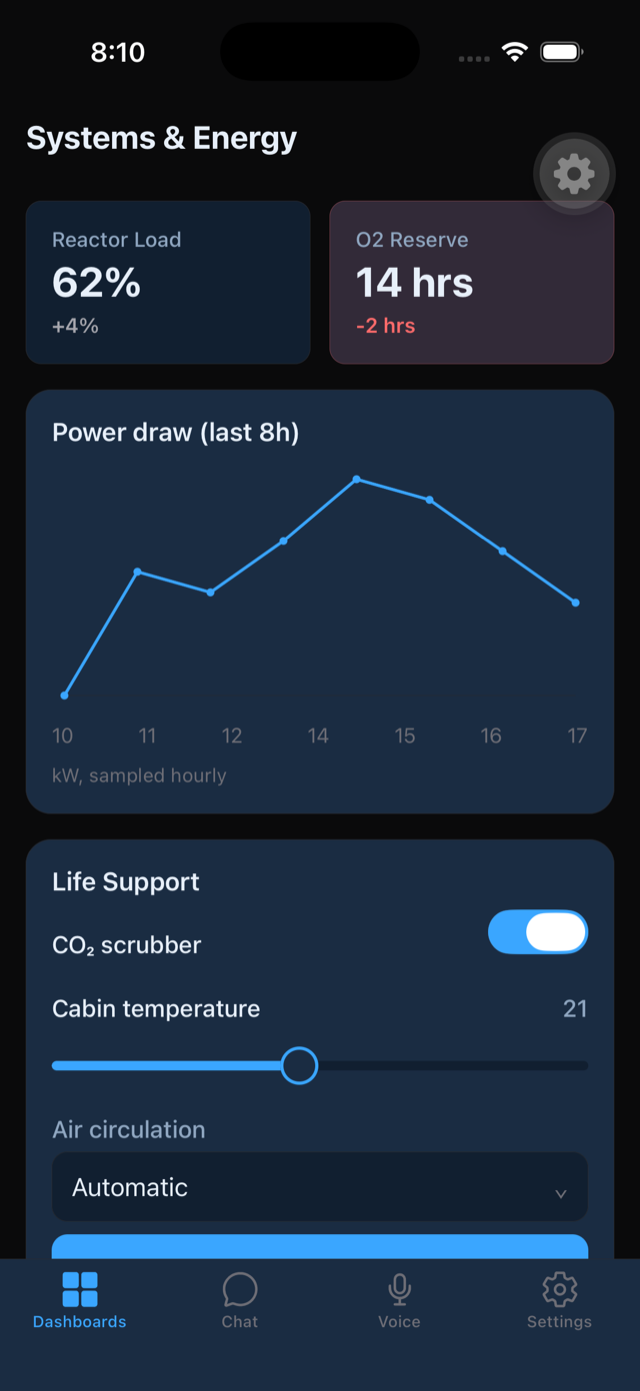
Connected app view, native chrome.
Your whole phone, not just a chat window
Six surfaces your server can turn on. Pick the tab, not just the chat bubble.
Streaming replies, markdown, code blocks, and image attachments — your agent's answers, not a Telegram thread.
Hold to talk, on-device speech in and out. v1 is push-to-talk, not a live duplex call — we'd rather say that up front than let you find out.
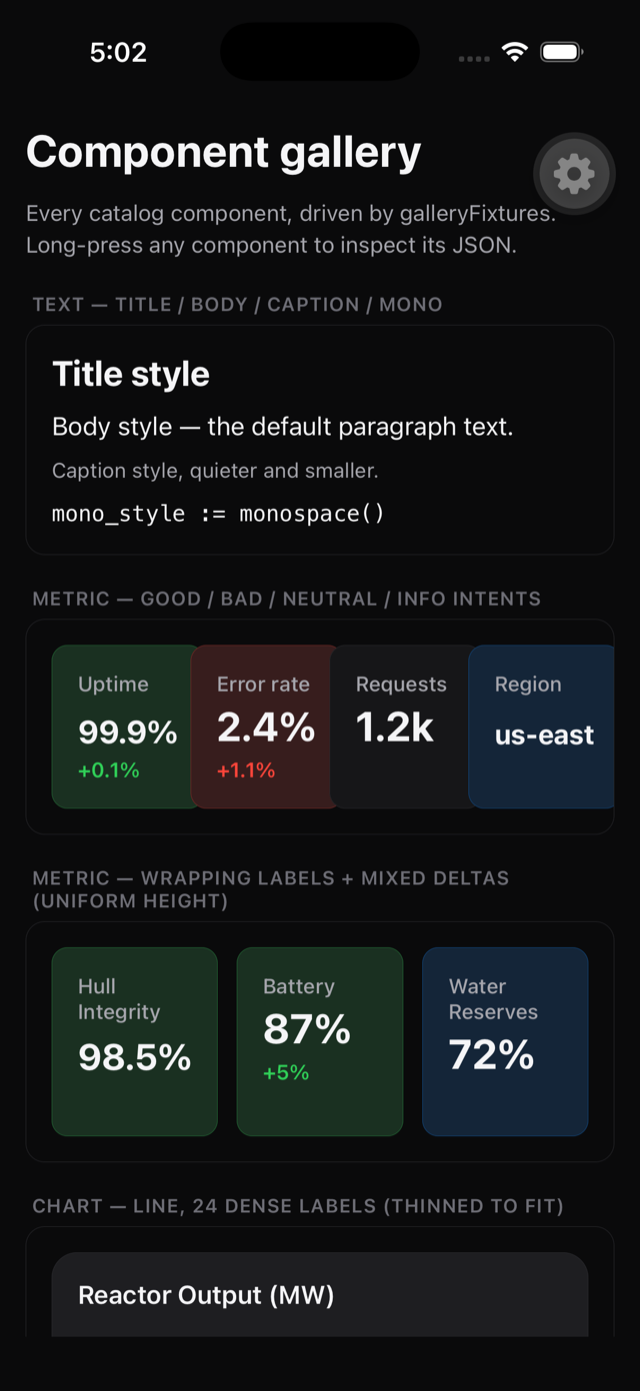
A dashboard your server defines in JSON — metrics, a chart, a table, buttons that call your tools and update the view.
A push notification from your own server, carrying your agent's name and icon, not a third-party bot's.
"Hey Siri, ask my house agent to check the thermostat" — calls a tool on your server and speaks the answer back.
Every clip above is a placeholder slot for a real screen recording of Parlane — never a mockup dressed up as footage.
Your server, your data
Parlane connects straight to your server by default. Nothing touches our infrastructure unless you turn on the relay — and even then, it never sees a model or your chat content.
Make your app Parlane-ready
Copy this into Claude Code, Cursor, or whatever agent you already build with. It's a goal, not a guarantee — your agent still has to write real endpoints — but a working app that already speaks JSON back and forth with a model is most of the way there. The target we're building toward: ten minutes from paste to a native connection.
Make my app Parlane-ready.
Parlane is a universal native mobile client. It renders my backend natively — chat,
voice, dashboards, push — from plain JSON I serve. There is no SDK. I implement a tiny
contract; any of the following it can already do (MCP) it reuses.
Implement chat unless I explicitly tell you not to. Chat is the core surface: voice rides
on it with no extra server work (speech runs on-device), and a connected app without chat
feels broken on first open. Wire /chat to whatever conversational or agent capability my
backend has; if it truly has none, ask me before omitting it, and then leave the chat
surface undeclared in the manifest so the client hides those tabs.
Do this:
1. Serve an app manifest at /.well-known/parlane.json (or an MCP resource
"parlane://manifest"). Declare only the surfaces I actually support. All fields are
optional. Validate it against spec/manifest.schema.json.
Ask me about the look: accent, colors, dark/light — declare a theme in the manifest to
skin my app's screens.
2. If I don't already speak MCP, add the REST fallback:
- POST /chat {conversation_id, message, attachments?} -> Server-Sent Events with these
event types: `delta` {text}, `tool` {tool,status,label?}, `done` {conversation_id,
message_id?}, `error` {code,message}. End with exactly one `done` or `error`.
- GET /ui/{dashboard_id} -> a UI document (spec/ui-document.schema.json): a tree from the
17-type catalog {stack, card, text, metric, chart, table, list, image, button, input,
toggle, slider, select, progress, badge, divider, map}. version:1, single root, max
depth 12, max 500 nodes. Full-replace only — no patch format.
- POST /action {action_id, tool, params, dashboard_id?} -> {ui} (a full replacement UI
document) or {ack:true}. Interactive components carry an action envelope
{tool, params?, confirm?, refresh:"self"|"none"|<dashboardId>}; inputs bind values by a
`bind` name that I merge into params.
3. Require Authorization: Bearer <token> on every request. Optionally print a connect QR
encoding parlane://connect?url=...&token=...
4. (Optional) For push, open an outbound WebSocket to the relay and send payloads matching
spec/push.schema.json.
Constraints: dashboards are declarative data, never code. Keep all user-visible copy in the
JSON I serve. Follow the schemas in spec/ exactly and test against spec/examples/.Full protocol reference: docs →
Pricing
Free has to be genuinely useful for one small personal app. Pro is for when you outgrow that.
Free
$0
- –1 connected app
- –1 dashboard
- –Direct connection to your own server
- –Chat, voice, and the full dashboard component catalog
Pro
~$6–10/mo
or ~$60–90/yr — exact price not locked yet
- –Unlimited connected apps
- –Hosted relay: push notifications and remote reach without exposing your server
- –Shortcuts and share-sheet automations
- –Priority access to new surfaces (widgets, watch) as they ship
Why not paid up front: you should feel your agent, native, on your phone before you're asked to believe in it.
FAQ
Will this pass Apple review?+
Dashboards are declarative JSON rendered by native components — never downloaded code — which is the same pattern App Store-approved server-driven-UI apps already use. We're not claiming an approval we don't have yet: the app hasn't been submitted. What we can say is the design was built around review risk from day one, and reviewers get a working demo server in the review notes.
Does it work with local models?+
Yes, as far as the protocol is concerned. There's no bundled LLM and never will be — your server owns the model, local or hosted, and Parlane just renders what it sends back. We don't manage API keys or route model calls ourselves.
What if my backend doesn't speak MCP?+
The REST fallback ships in v1, on purpose. It's about 50 lines to implement — reference servers in Node and Python are in the repo if you want a working example to copy.
When's Android?+
Fast-follow after iOS launch, not simultaneous. The app is built on React Native and Expo specifically so Android is a port, not a rewrite — but we don't have a date to give you yet.
Can I self-host the relay?+
Yes — it's open source under AGPL-3.0 and runs as a single Docker container. Direct connections need no relay at all. One honest nuance: Apple requires our own push key for APNs delivery, and that key can't ship in an open-source repo — so even a self-hosted relay routes the final, already end-to-end-encrypted push trigger through our thin hosted APNs/FCM gateway. Self-hosting buys you privacy and remote reach without paying us; it doesn't remove Apple's push requirement.
What does voice actually do in v1?+
It's push-to-talk: hold a button, speak, on-device speech-to-text sends the text, on-device text-to-speech reads the reply. It is not a live phone call with your agent, and we'd rather tell you that than let a demo oversell it. Server-chosen voices (cloned or custom) are on the roadmap as an optional add-on, not a v1 promise.